
.png)
Description
Download AI Web Page Translator – AI‑Powered Multilingual Translation Tool
Overview
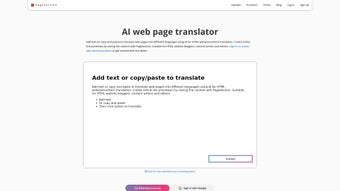
The AI Web Page Translator by pagesection.com is a cloud‑based translation suite built specifically for HTML‑centric creators – bloggers, content writers, and web editors who need a fast, reliable way to turn a single page or an entire site into a multilingual experience. Leveraging state‑of‑the‑art natural language processing, the tool can ingest raw text, HTML snippets, or full webpages, then return a polished, WYSIWYG‑ready version in more than 30 languages, from Arabic and Chinese to French, German and Spanish. The platform goes beyond simple word‑for‑word conversion; it automatically corrects grammar, adapts syntax to the target locale, and preserves HTML structure so you never have to worry about broken tags or lost styling. A subscription model grants continuous updates, new language packs, and priority access to the latest AI models, ensuring that the translation engine stays ahead of emerging dialects and SEO best practices. Whether you are publishing a personal blog post, an e‑commerce product page, or a complex documentation site, AI Web Page Translator promises a seamless, secure, and cost‑effective workflow that eliminates the need for external copy‑editing services.
Key Features
- AI‑Driven Multilingual Engine: Supports over 30 languages with contextual awareness and native‑speaker quality.
- WYSIWYG Preview & Editing: See the translated page exactly as it will appear, with live HTML editing tools.
- Grammar & Syntax Auto‑Correction: Built‑in proofreading that adapts to the target language’s rules.
- HTML‑Safe Translation: Preserves tags, classes, and inline styles, preventing broken layouts.
- Bulk Project Upload: Drag‑and‑drop whole website folders or zip files for batch translation.
- Custom Language Packs: Add industry‑specific terminology or brand voice dictionaries.
- Online Link Preview: Generate shareable preview URLs to test translations before publishing.
- Version Control & File Management: Keep track of original and translated versions with timestamps.
- Secure Cloud Storage: End‑to‑end encryption ensures that your content never leaves the platform unprotected.
- Subscription Updates: Continuous AI model improvements, new language additions, and priority support.
Installation, Usage & Compatibility
Because AI Web Page Translator is a web‑based SaaS solution, there is no traditional “install” step on your local machine. Getting started only requires a modern browser and an active internet connection. Follow these three simple steps to start translating your site:
- Create an Account: Visit pagesection.com/ai-translator, sign up with your email, and choose a subscription tier that matches your translation volume.
- Upload Content: Once logged in, you can either paste raw HTML/text directly into the editor or use the Upload Project button to import full website folders. The platform automatically detects language tags and suggests source languages.
- Select Target Language & Translate: Choose one or multiple target languages from the dropdown, hit “Translate,” and watch the AI process your content. The result appears in a side‑by‑side view where you can edit, approve, or revert changes instantly.
Supported Operating Systems: Since the service runs in the cloud, it works on any OS that can run a current browser – Windows 10/11, macOS Ventura and later, Linux distributions, as well as mobile platforms like Android 8+ and iOS 13+. The responsive UI adapts to tablets and smartphones, making on‑the‑go edits a breeze.
For teams that prefer a more integrated workflow, the platform offers API endpoints that can be called from CI/CD pipelines, static site generators, or custom CMS plugins. This means you can automate translation as part of your deployment process, ensuring that every new page is instantly available in all supported languages.
Security‑wise, all data is transmitted over HTTPS, stored in encrypted buckets, and never shared with third parties. The subscription also includes daily backups, so you can restore any previous version of a translation project with a single click.
Pros, Cons, FAQ & Final Verdict
Pros
- High‑quality AI translations that feel native.
- Preserves HTML structure, eliminating post‑translation cleanup.
- Live WYSIWYG editor reduces the need for external proofreading.
- Supports bulk uploads, perfect for large websites.
- Secure cloud environment with encryption and version control.
- Continuous updates and new language packs via subscription.
Cons
- Requires an active internet connection; no offline mode.
- Pricing may be a barrier for very low‑volume hobbyists.
- Advanced customization (custom dictionaries) is limited to higher‑tier plans.
Frequently Asked Questions
Is the translation truly SEO‑friendly?
Yes. The AI model is trained on SEO‑optimized corpora, and it retains meta tags, header hierarchy, and keyword density while translating, helping search engines index each language version correctly.
Can I translate an entire WordPress site?
Absolutely. Export your site’s HTML files or use the provided WordPress plugin to send content directly to the translator, then import the translated files back into your WordPress installation.
How does the pricing model work?
Pricing is subscription‑based with tiered limits on characters per month. There is a free trial that allows 5,000 characters, after which you can choose the plan that matches your projected volume.
Is there a way to protect sensitive content?
All data is encrypted in transit (TLS) and at rest (AES‑256). You can also enable two‑factor authentication on your account for added security.
What languages are supported?
The platform currently supports over 30 languages, including Arabic, Chinese (Simplified & Traditional), English, French, German, Spanish, Russian, Japanese, Portuguese, and many more. New languages are added quarterly.
Conclusion & Call to Action
AI Web Page Translator by pagesection.com delivers a compelling blend of AI accuracy, HTML safety, and user‑friendly design that makes multilingual publishing accessible to anyone who works with web content. While the need for an internet connection and a subscription fee are considerations, the time saved on manual translation, the reduction in SEO errors, and the built‑in security features outweigh these minor drawbacks for most professionals. If you’re looking to expand your audience across borders without hiring a team of translators, this tool offers a fast, reliable, and future‑proof solution.
Ready to see your website speak every language? Start your free trial today and experience the power of AI‑driven translation for yourself.
Rating: 4.5/5 – The AI Web Page Translator stands out for its accuracy and seamless HTML handling, making it a top choice for multilingual web publishers.
Guides & Tutorials for AI web page translator by pagesection com
How to install AI web page translator by pagesection com
- Click the Preview / Download button above.
- Once redirected, accept the terms and click Install.
- Wait for the AI web page translator by pagesection com download to finish on your device.
How to use AI web page translator by pagesection com
This software is primarily used for its core features described above. Open the app after installation to explore its capabilities.
User Reviews for AI web page translator by pagesection com 0
No reviews found




